
Messaging Platforms
WhatsApp Business Guide for Businesses

Customers no longer want to call or wait for email responses to communicate with brands. Today, people expect to interact with businesses the same way they message their friends—quickly and effortlessly.
With over 7 billion users worldwide, WhatsApp is no longer just a messaging app for brands; it has evolved into a powerful communication platform that enables businesses to manage customer support processes, sales interactions, and overall customer experience.
In this guide, we will explore what WhatsApp Business is, how it can be used by businesses, and how it helps improve the customer experience.
What is WhatsApp Business?
WhatsApp Business is a business solution that enables companies to communicate with their customers via WhatsApp.
It primarily offers two different usage models:
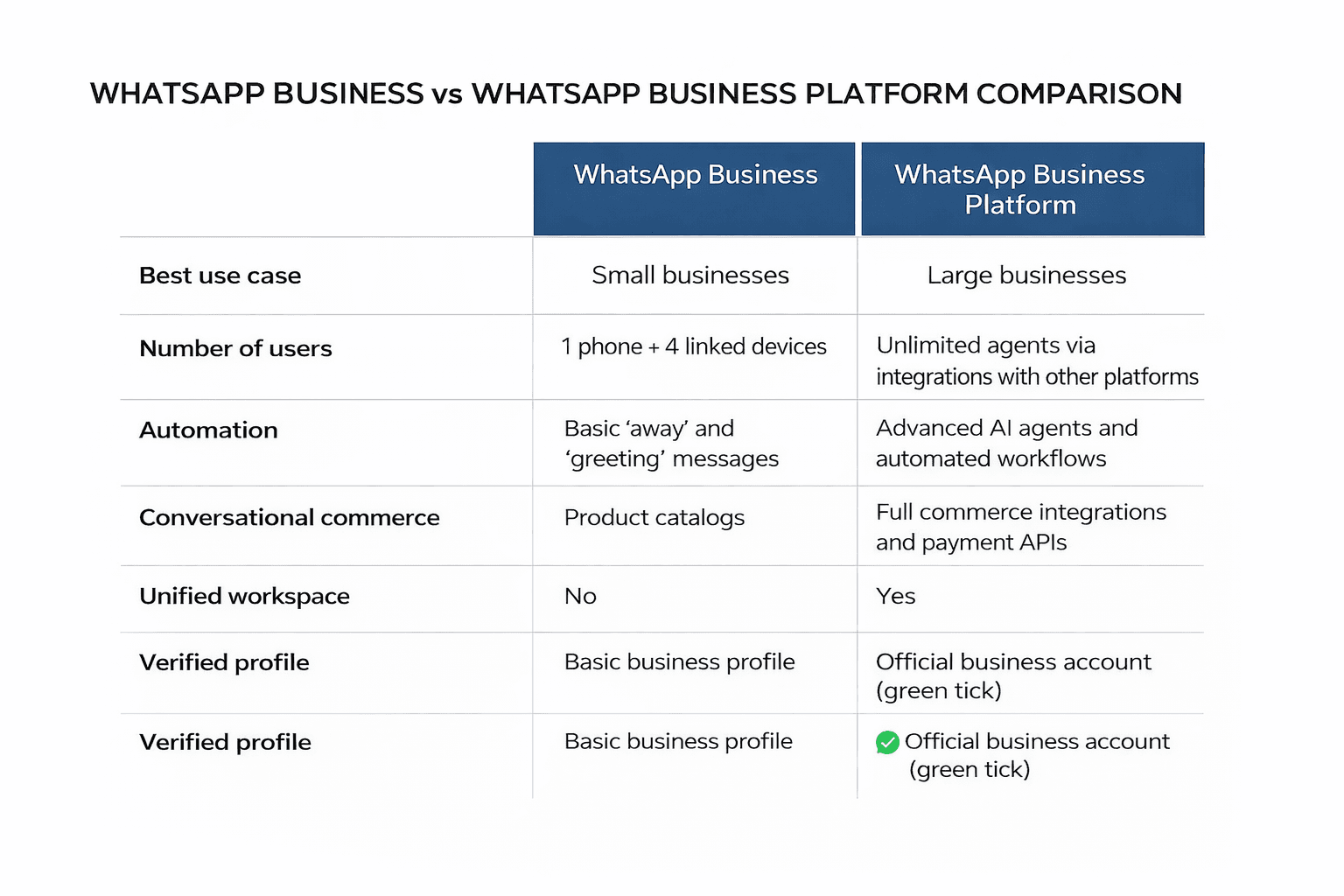
1. WhatsApp Business App
This is a mobile application designed for small businesses and is generally suitable for those with low message volumes.
Key features:
Creating a business profile
Adding a product catalog
Automated messages
Quick replies
Basic customer communication management
Customers no longer want to call or wait for email responses to connect with brands. Today, people expect to communicate with businesses the same way they message their friends.
At this point, WhatsApp Business stands out as a powerful channel that makes customer communication faster, more personal, and more accessible.
2. WhatsApp Business Platform (API)
This is designed for larger teams and companies with high message volumes.
Through this platform, businesses can access advanced capabilities such as:
Multi-agent/team management
Integration with CRM or customer support platforms
Automation and AI usage
Managing conversations at scale
These features enable businesses to deliver more efficient, scalable, and consistent customer communication.
Why Should Businesses Use WhatsApp Business?
Customer communication has undergone a significant transformation in recent years. In the past, customers would reach out to brands via email, call centers, or website contact forms. Today, however, communication habits have largely shifted toward messaging apps. People now expect to interact with brands the same way they communicate with friends and family—quickly, conveniently, and in real time.
At this point, WhatsApp has become a highly powerful communication channel for businesses. With billions of active users worldwide, it is already an integral part of customers’ daily lives. For this reason, WhatsApp Business is not just a messaging tool; it is an effective way for businesses to establish faster, more natural, and more accessible communication with their customers.
Communication through WhatsApp offers a more conversational and personal experience compared to traditional support channels. This allows brands to build stronger, long-term relationships with their customers.

1. Building Trust with a Business Profile
WhatsApp Business allows brands to present themselves clearly and transparently. Key information such as business name, description, address, working hours, and website can be displayed on the profile. This helps customers easily understand who they are communicating with and creates a more secure and trustworthy experience.
2. Advanced Messaging Tools
WhatsApp Business provides a range of tools that make customer communication faster and more organized. Quick replies enable fast responses to frequently asked questions, while automated greeting and away messages help manage customer expectations effectively. Additionally, labeling features allow conversations to be categorized for easier tracking and management.
3. Rich Media Communication
Beyond text messages, WhatsApp supports various content types such as images, videos, documents, and voice messages. This allows businesses to communicate complex information more clearly and deliver a more engaging customer experience. These features can significantly enhance both customer support and sales processes.
4. Product and Catalog Features
WhatsApp Business enables businesses to showcase their products or services directly within the app. Customers can browse products, access detailed information, and move through the purchasing process without leaving the chat. This creates a smoother, more user-friendly sales experience.
5. Automated Notifications and Updates
Businesses can send pre-approved message templates to deliver timely notifications. Updates such as order status, delivery details, appointment reminders, and payment confirmations can be shared instantly. This improves transparency and significantly enhances the overall customer experience.
6. Interactive Messaging Experience
WhatsApp Business offers interactive messaging features that increase user engagement. With list messages and quick reply buttons, customers can make selections with a single tap. This streamlines communication and makes the overall experience more intuitive and efficient.
7. Automation and AI Integration
With the WhatsApp Business Platform, businesses can leverage chatbots and AI-powered agents. These systems can handle frequently asked questions, guide customers to the right solutions, and automate processes such as booking appointments or updating orders. As a result, businesses can provide uninterrupted 24/7 support.
8. Analytics and Performance Tracking
The platform includes analytics tools that help measure message performance and customer engagement. Metrics such as delivery, open, and response rates can be tracked to optimize communication strategies. These insights are essential for improving customer experience and driving better business outcomes.
How to Set Up WhatsApp Business
Getting started with WhatsApp Business is quick and straightforward. When set up correctly, it can elevate your customer communication to a more professional level. The steps below will help you complete the process smoothly.
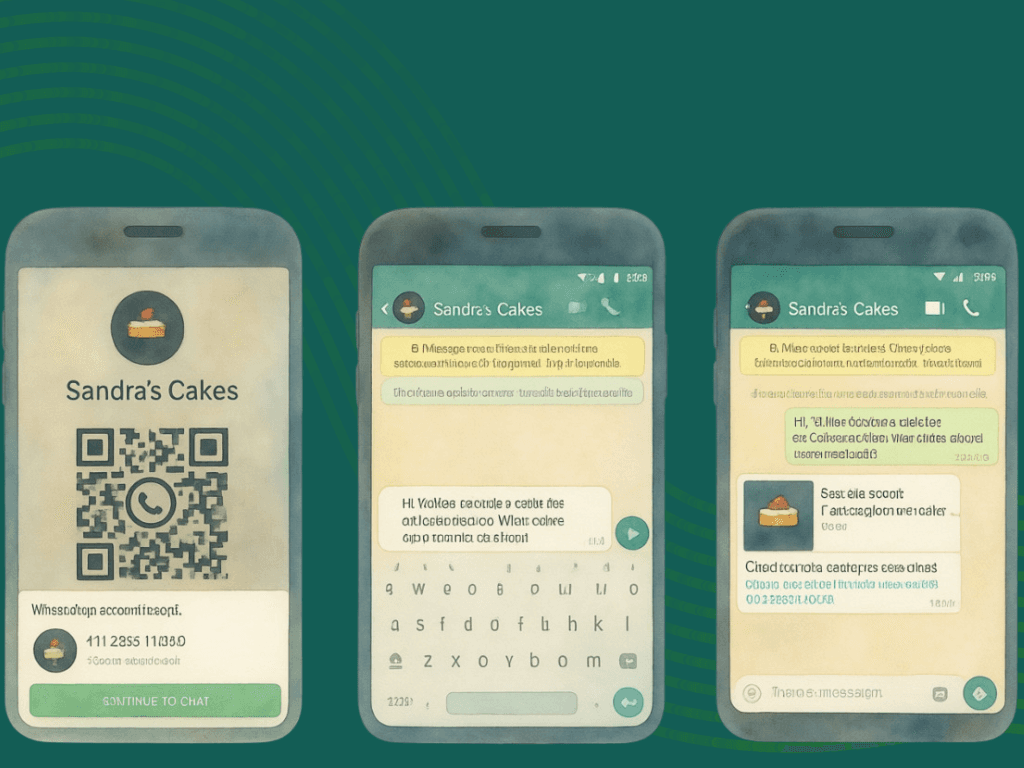
1. Download the App and Create an Account
As a first step, download the WhatsApp Business app to your device. You can install it for free via the Google Play Store or App Store.
After installation, you need to register using a phone number associated with your business. This can be a mobile or a landline number, but it must be able to receive SMS or calls for verification. Keep in mind that the same number cannot be used simultaneously for both standard WhatsApp and WhatsApp Business accounts.
Enabling access permissions for contacts and media will make it easier to communicate with customers and share content.
2. Create Your Business Profile
A complete and well-structured business profile is essential for building a trustworthy first impression.
When setting up your profile:
Enter your official business name accurately
Choose categories that best describe your business
Add a high-quality logo or image that represents your brand
You can then complete additional profile details to provide more information to your customers:
A short business description
Physical address (if applicable)
Working hours
Contact details such as email and website
These details help customers interact with your business more confidently and transparently.
3. Optimize Messaging Settings
WhatsApp Business offers several automation tools to streamline communication processes.
Using these tools, you can:
Send automated greeting messages to new customers
Set away messages for communications outside working hours
Create quick reply templates for frequently asked questions
You can also label conversations to categorize customer interactions and maintain a more organized communication workflow.
4. Create a Product or Service Catalog
WhatsApp Business includes a catalog feature that allows businesses to showcase their products and services directly within the app.
To create a catalog, follow:
Business Tools > Catalog > Add New Item
When building your catalog:
You can add up to 10 images or videos per product
Include pricing, descriptions, and product details
Add links that direct customers to your website
Assign unique product codes (SKUs)
Once your products are approved, they will become visible on your profile. This allows customers to browse your offerings without leaving the chat and makes it easier for them to move through the purchasing process.
Common Challenges in WhatsApp Business and Effective Solutions
WhatsApp Business is a powerful channel that enables businesses to communicate with customers quickly and directly. However, as customer demand increases, managing this channel becomes more complex. High message volumes, compliance requirements, and technical infrastructure can quickly become critical challenges for businesses.

High Message Volume and Response Times
As customer inquiries grow, the number of incoming messages increases rapidly. This can overwhelm support teams, leading to slower response times and a decline in customer satisfaction.
To manage this more efficiently, businesses should leverage automation and AI-powered solutions. Automatically responding to repetitive queries and prioritizing messages allows teams to focus on more critical customer needs.
Policy and Compliance Requirements
WhatsApp Business has specific rules regarding message delivery and user consent. If these rules are not properly managed, messages may fail to be delivered, or communication may be disrupted.
Therefore, it is essential for businesses to use approved message templates, properly manage user opt-ins, and control all messaging processes from a centralized system.
Consistency and Brand Experience
Consistency in customer communication is crucial for building brand trust. Differences in tone between agents or poorly configured automation can negatively impact the customer experience.
To prevent this, businesses should create standardized response templates and ensure that AI systems are aligned with the brand’s tone of voice. Regular performance analysis also helps maintain consistent communication quality over time.
Technical and Integration Challenges
Common technical issues in WhatsApp Business include message delivery errors, API-related problems, and integration gaps with other systems. These issues can interrupt customer communication and disrupt operations.
For this reason, businesses should rely on robust and reliable infrastructure solutions. Being able to track message statuses in real time and ensuring seamless integrations across systems are key to maintaining uninterrupted communication.
The Right Infrastructure for Scalable Customer Communication

While WhatsApp Business provides an effective starting point for customer communication, managing this process sustainably and efficiently becomes more challenging as demand grows. At this stage, more advanced solutions are required. With AI-powered omnichannel platforms, businesses can manage all customer interactions from a single dashboard, reduce response times, and deliver a more consistent customer experience.
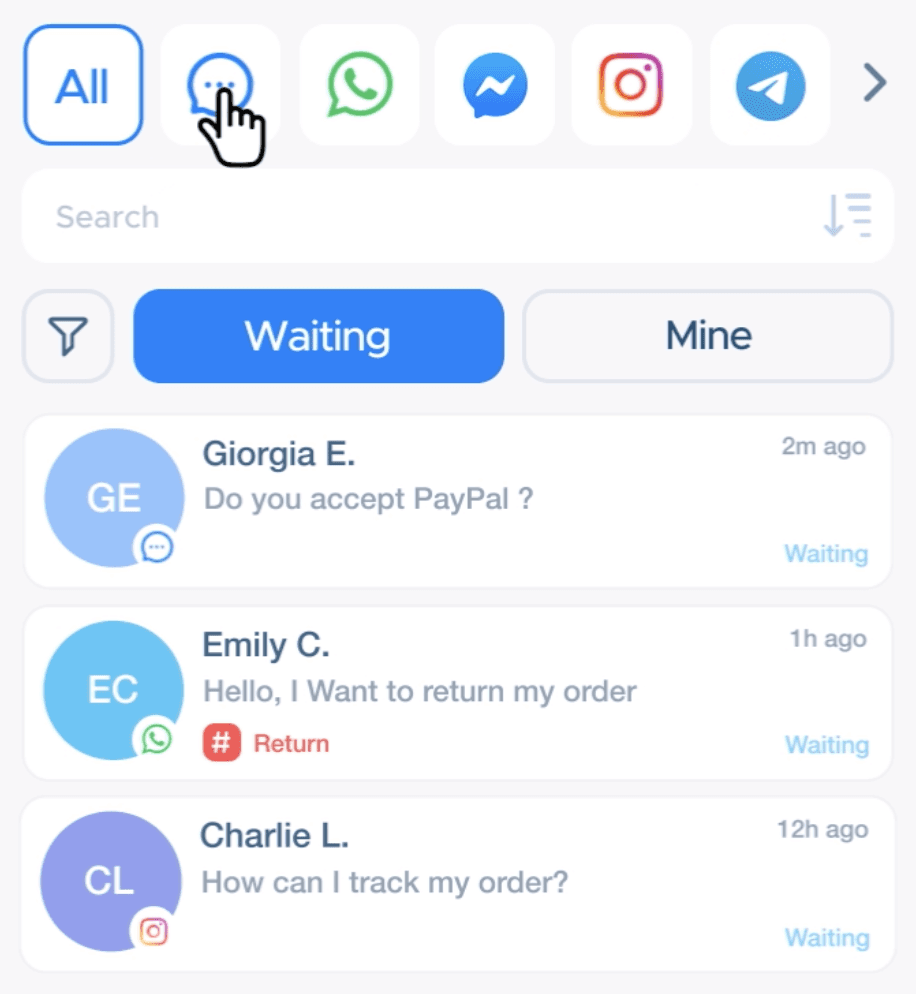
Qpien works seamlessly with WhatsApp Business by consolidating all incoming messages into one unified panel and optimizing the process with its AI-powered Agent. The AI Agent analyzes customer messages, generates automated responses, routes requests to the appropriate teams, and efficiently manages high message volumes. This enables businesses not only to manage communication on WhatsApp, but to transform it into a faster, more consistent, and scalable customer experience.